
Most AI tools are powerful, but they all have the same annoying problem. You open a chat, type a prompt, and start from zero. Again. And again. And again.
That is why Recall 2.0 feels different.
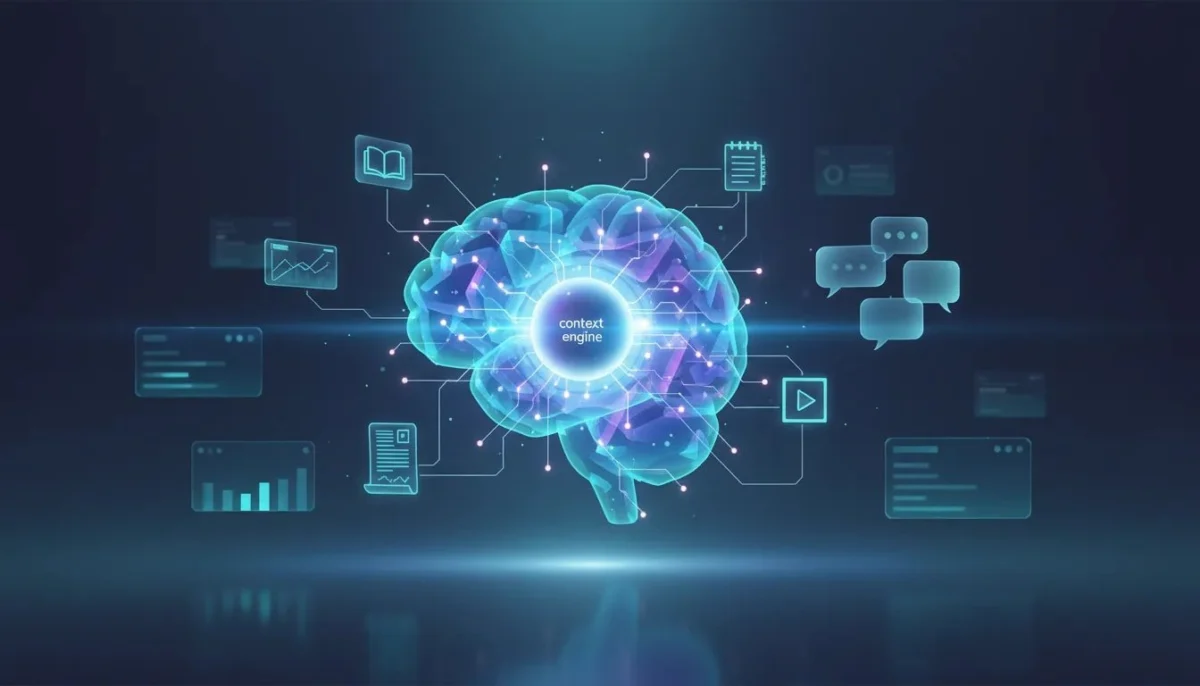
Instead of acting like just another chatbot, Recall is built around a much smarter idea: your advantage with AI is no longer just the model, it is your context. If you can save what you read, watch, research, and learn, organize it automatically, add your own notes, and then chat with all of it using the AI model of your choice, you stop using AI like a blank slate and start using it like a system with memory.
That is the big shift here. Recall 2.0 is not trying to replace ChatGPT by being a better chat box. It is trying to become your personal AI context layer.
And honestly, that is a much more interesting direction.
Table of Contents
- What Recall 2.0 actually does
- Why context matters more than ever in AI
- The biggest new feature: agentic chat with your saved knowledge
- Recall vs NotebookLM vs ChatGPT
- Saving content is easy, and that matters more than people realize
- Use case #1: Learn complex topics much faster
- Use case #2: Turn research into scripts, articles, and content ideas
- Use case #3: Use your saved notes for smarter personal guidance
- Use case #4: Review and quiz yourself
- API and MCP access make Recall more than a standalone app
- Why this direction makes so much sense
- Best-fit users for Recall 2.0
- Practical publishing notes for this topic
- Meta description
- Suggested tags and categories
- Final thoughts
- FAQ
What Recall 2.0 actually does
At its core, Recall is a personal knowledge tool.
You save content you care about. That can include:
- YouTube videos
- Links and articles
- PDFs
- Wikipedia pages
- Notes
- Other online resources you interact with regularly
Recall then summarizes that content, organizes it automatically, tags it, and keeps it available for future use. The difference with the 2.0 update is that this saved knowledge is no longer just sitting there like a digital filing cabinet. You can now actively use it as context behind your AI workflows.
That is what makes this feel less like a save-and-summary app and more like an actual intelligence system built around your life and interests.
Why context matters more than ever in AI
Tools like ChatGPT, Claude, Gemini, and NotebookLM are all useful. But most of the time, they only know what you give them in the moment.
Yes, they can do impressive reasoning. Yes, they can write, summarize, brainstorm, and analyze. But if they do not know what you have been learning over time, what topics matter to you, what sources you trust, and what notes you have already made, they are missing the most important ingredient.
Context is what makes AI feel personalized, useful, and strategic instead of generic.
Recall 2.0 is built around this exact idea. It gives AI access to the information you have already been collecting and thinking about. That means the output is no longer based only on a single prompt. It is based on your evolving knowledge base.
The biggest new feature: agentic chat with your saved knowledge
The most important update in Recall 2.0 is the chat experience.
You can now open chat and pull in specific context from your knowledge base using tags or saved categories. For example, if you have been saving a bunch of material about social media, you can bring all of that into a conversation instantly.
Then you can choose how the AI should respond using:
- Recall only
- Recall plus the web
- The web with your saved context layered in
That alone is a huge upgrade because it means the AI is not limited to one static source. It can combine your private knowledge base with live online information.
Even better, Recall lets you choose the model you want to use. Instead of locking you into one provider, it supports multiple options, including models from OpenAI, Anthropic, and Google.
That matters a lot.
One of the frustrations with tools like NotebookLM is that you are often boxed into a single ecosystem. If you like switching models depending on the task, Recall gives you that flexibility while still keeping your personal context in one place.
Recall vs NotebookLM vs ChatGPT
This is where the comparison gets interesting.
Recall vs NotebookLM
NotebookLM is still a strong tool, especially for working inside a single project or source set. But it tends to feel folder-based. You build a notebook, add sources, and work within that contained environment.
Recall feels broader than that.
Instead of being built around isolated projects, it feels more like a lifelong knowledge system. Your saved information is part of one growing knowledge base, not just one notebook at a time. That makes it much more useful if you want AI to connect ideas across different topics you have been exploring over weeks or months.
Recall vs ChatGPT
ChatGPT is incredibly capable, but on its own it is mostly an AI interface. It can be brilliant in the moment, but unless you manually feed it context every time, it does not inherently function like your long-term personal knowledge base.
Recall changes that by adding memory and structure around what you consume online.
A simple way to think about it is this:
- ChatGPT gives you intelligence
- Recall gives you intelligence plus memory plus context from your own world
That combination is what makes it powerful.
Saving content is easy, and that matters more than people realize
A knowledge tool is only useful if it is frictionless.
Recall supports a wide range of content types, which means you do not need to change your behaviour to use it. You can keep consuming content the way you already do and simply save what matters.
It also has a Chrome extension, which is a big deal because it lets you summarize, save, or interact with content while browsing normally. No clunky export process. No weird workaround. Just one-click capture while you are already researching.
On top of that, you can add your own notes to saved items. This is important because your notes are often where the real value is. Summaries are useful, but your interpretation, priorities, and reactions are what turn information into knowledge.
Recall also automatically tags and organizes what you save, which reduces the usual mess that builds up in note-taking apps over time.
Use case #1: Learn complex topics much faster
One of the best use cases for Recall 2.0 is understanding something quickly without losing depth.
Imagine you want to learn how the YouTube algorithm works. You find a long-form interview or podcast that runs for over an hour and includes insights from YouTube employees.
Normally, you have a few options:
- Watch the whole thing and take notes manually
- Drop it into ChatGPT for a basic summary
- Save it somewhere and forget about it later
Recall gives you a better workflow.
You save the video, generate a summary almost instantly, and then ask targeted questions like:
- What are the main takeaways?
- What matters most based on what I have been researching lately?
- How does this compare with other algorithm content I have saved?
Now the AI is not just summarizing one source. It is relating that source to everything else in your knowledge base.
If you also research TikTok, for example, Recall can compare the YouTube algorithm against the TikTok algorithm and help surface strategic differences such as:
- Pull versus push dynamics
- Search versus discovery behaviour
- Intent-based traffic versus algorithmic interest matching
That is a much more useful result than a plain summary because it helps you build understanding, not just skim information.
Use case #2: Turn research into scripts, articles, and content ideas
This is where things start to get a little crazy.
Once a source has been saved into Recall, it becomes part of your active knowledge system. That means you can use it later in creative work without re-uploading it or re-explaining it.
For example, after saving material about YouTube and TikTok algorithms, you can ask Recall to write a script comparing how both platforms work in 2026. Because the system has access to your saved knowledge plus the web, it can combine:
- Your previously saved research
- The new source you just added
- Live online information
- The model you chose for the task
It can then produce a script and show the sources used. If you want, you can save that script back into Recall as a new card, effectively expanding your knowledge base with your own generated output.
That feedback loop is one of the smartest parts of the platform.
You are not just consuming information. You are continuously turning information into assets.
Building a content machine from your own context
Another great example is idea generation.
Instead of asking a generic AI tool for content ideas, you can ask Recall:
Give me 10 article or video ideas based on everything I have been learning lately.
That subtle difference changes the quality of the output completely.
Generic AI brainstorming tends to produce the same recycled ideas everybody gets. Recall can generate ideas grounded in your actual recent research, which makes them more aligned with your niche, your interests, and your strategy.
From there, you can go further and ask it to turn those ideas into:
- 35 to 60 second short-form clips
- SEO-friendly blog article outlines
- Scripts for videos
- Drafts for website content
This is how Recall starts acting like a real content workflow engine, not just a note app.
Use case #3: Use your saved notes for smarter personal guidance
Because Recall stores your notes alongside saved resources, it can answer questions using your own recorded context.
That opens up more personal use cases.
For example, if you have saved notes and resources related to social media trends, you can ask what trends you should focus on right now. Recall can pull from your notes, combine that with search if needed, and produce an answer grounded in what you have already been tracking.
The same idea applies to health-related research you have personally saved. If you have content and notes about alcohol and health, you can ask questions around potential effects at age 30 or precautions to take, and Recall can answer using those saved materials as context.
The important distinction here is not that Recall becomes a magical expert on every topic. It is that it becomes much better at helping you reason through topics using the information you have chosen to collect.
Use case #4: Review and quiz yourself
Another underrated feature is the review section.
Recall can generate quizzes from your saved knowledge so you can reinforce what you have been learning. That is useful for:
- School and studying
- Work and professional development
- Personal learning goals
- Refreshing topics you do not want to forget
This matters because most AI tools are great at providing information, but not always great at helping you retain it. Review features close that gap by making your saved content more active and memorable.
API and MCP access make Recall more than a standalone app
For advanced users, one of the most exciting parts of Recall 2.0 is that your knowledge base does not have to stay trapped inside one platform.
With API and MCP access, you can connect Recall into other AI tools and workflows. That means your saved context can potentially power a broader stack instead of living in isolation.
This is a big deal because the future of AI is probably not one app doing everything perfectly. It is going to be ecosystems of tools working together. If Recall becomes the memory layer in that stack, it becomes far more valuable than a simple research saver.
Why this direction makes so much sense
The smartest thing about Recall 2.0 is not one feature. It is the product direction.
There are already plenty of chat interfaces. There are already plenty of AI wrappers. There are already plenty of apps promising summaries.
What is actually valuable now is having a system that helps your AI understand you:
- What you read
- What you save
- What you care about
- What you are learning over time
- What notes and insights you have added yourself
That is the difference between using AI as a tool and using AI as an extension of your own thinking process.
And that is why Recall 2.0 stands out.
Best-fit users for Recall 2.0
Recall feels especially useful if you are one of these types of users:
- Creators who turn research into videos, articles, and scripts
- Students who want summaries, quizzes, and a persistent knowledge base
- Researchers who need to compare sources across topics
- Professionals who save articles, reports, and notes regularly
- Lifelong learners who consume a lot of online information and want to actually retain and use it
If your current workflow involves bouncing between ChatGPT, NotebookLM, Notion, links, PDFs, and random saved tabs, Recall is clearly trying to solve that fragmentation problem.
Practical publishing notes for this topic
If you are posting this article on a website, a few additions would make it even stronger:
- Include screenshots of Recall’s chat interface, saved cards, tagging system, and review area
- Use descriptive alt text such as Recall 2.0 AI knowledge base chat interface or Recall 2.0 automatic content tagging dashboard
- Link to related internal content about AI productivity tools, NotebookLM alternatives, or content creation workflows
- Link externally to the official Recall page at https://www.recall.it/ for readers who want to explore the platform directly
Meta description
Recall 2.0 turns saved content into an AI knowledge base with memory, context, and multi-model chat, making it a strong NotebookLM and ChatGPT alternative.
Suggested tags and categories
- AI Tools
- Productivity
- Knowledge Management
- ChatGPT Alternatives
- NotebookLM
- Content Creation
- AI Workflows
Final thoughts
Recall 2.0 is interesting because it is not just trying to be another chatbot in a crowded market. It is trying to become the place where your knowledge and AI actually work together.
That is a much smarter battle to fight.
The next phase of AI will not just be about who has access to the smartest model. It will be about who has the best context behind that model. The people who can combine memory, organization, research, notes, and flexible AI workflows are going to get much more useful results than the people starting from a blank prompt every time.
If you want one tool that helps you save, organize, learn, and actually use what you consume online, Recall 2.0 is absolutely worth a look.
If this kind of workflow matters to you, the best next step is simple: audit how much of your current learning is getting lost between tabs, chats, and scattered notes. If that answer is “a lot,” then a dedicated AI context layer might be exactly what your stack has been missing.
FAQ
What is Recall 2.0?
Recall 2.0 is a personal knowledge tool that lets you save online content, summarize it, organize it automatically, add your own notes, and chat with that information using different AI models.
How is Recall different from ChatGPT?
ChatGPT is primarily an AI interface. Recall adds a persistent memory and context layer built from the content you save and the notes you create, which makes responses more grounded in your own knowledge base.
How is Recall different from NotebookLM?
NotebookLM is strong for project-based or notebook-based workflows. Recall feels more like a lifelong knowledge system where saved information across many topics can be connected and used together inside chat.
What types of content can you save in Recall?
Recall supports links, PDFs, Wikipedia pages, YouTube videos, notes, and other web content. It also offers a Chrome extension for quick saving and summarizing while browsing.
Can you choose which AI model to use in Recall?
Yes. Recall 2.0 allows you to switch between different models instead of locking you into one provider, which gives you more control over how you work.
Is Recall useful for content creators?
Yes. It can help creators turn saved research into summaries, comparisons, scripts, content ideas, short-form video concepts, and SEO-focused article outlines using their own accumulated context.
Does Recall have review or study features?
Yes. Recall includes a review area where you can create quizzes from saved materials, making it useful for studying, work training, or retaining personal research.
Can Recall connect with other AI tools?
Yes. Recall includes API and MCP access, which means advanced users can connect their knowledge base into broader AI workflows instead of keeping everything locked in one app.
This article was created from the video This NEW AI App Just K*LLED NotebookLM & ChatGPT (crazy use cases) with the help of AI.